
 Car dealerships
 E-commerce
 Tourism and recreation
 Machinery
 Events
 Real estate
Amberdeck - Support
Version: 1.0
Platform: iPhone, iOS 18.0+
Developer: Codeform
About Amberdeck
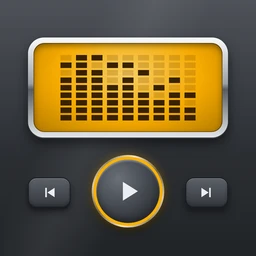
Amberdeck is a music player for the music files you already have. Pick a folder and press play: no Apple Music or Spotify, no account and no streaming. It looks and feels like a 2000s hi-fi deck, with an amber LCD, a spectrum analyzer, and knobs and keys that click.
Features
- Plays folders from your iPhone, the Files app (iCloud Drive and other providers) and Dropbox
- Cloud tracks download in the background, then play offline
- A playlist editor with Winamp-style ADD, REM, SEL and MISC keys
- Shuffle, repeat one or all, and gapless playback within an album
- Crossfade, from 1 to 12 seconds
- A 10-band EQ with presets, plus bass and treble knobs
- A spectrum analyzer and an oscilloscope on the LCD
- Lock screen, Control Center and headphone controls
- 19 looks, from brushed aluminium to translucent plastic, and a Custom look of your own
- A Day look and a Night look that follow Light and Dark Mode
Supported Formats
MP3, AAC and M4A (including Apple Lossless), FLAC, WAV, AIFF, CAF and M4B. Files protected by DRM, such as Apple Music downloads, can't be played.
System Requirements
- An iPhone with iOS 18.0 or later
- An internet connection only for Dropbox, cloud folders and the unlock
Getting Started
1. Put music on your iPhone
- From a Mac: connect your iPhone, select it in Finder, open Files and drag your music onto Amberdeck
- In the Files app: save or move music into On My iPhone › Amberdeck
- Or leave it where it is: iCloud Drive and Dropbox folders work too
2. Add it to the deck
- Tap the eject key at the bottom of the round pad, or ADD under the playlist
- ADD › FOLDER or FILE opens the Files picker; ADD › DBX browses your Dropbox
- Amberdeck reads the folder and everything inside it, and starts playing
3. Make it yours
- Tap DIGITAL AUDIO DECK at the top right to open Setup
- Pick a Day look and a Night look
- Turn on crossfade or the EQ with their keys on the deck
Frequently Asked Questions
Does Amberdeck play Apple Music or Spotify?
No. Amberdeck plays music files you own. Streaming services and DRM-protected downloads aren't supported.
What's free, and what does the unlock add?
Everything the deck does is free: playback, playlists, Dropbox, the EQ, crossfade and the four House looks. The unlock is a one-time purchase that adds the other looks, Custom, and every look that comes later. There is no subscription.
Can I try a look before buying?
Yes. Pick any look in Setup and the deck wears it while Setup is open.
How do I restore my purchase?
Open Setup and tap Restore purchase in the Unlock section, signed in with the Apple ID you bought it with.
Why is a cloud track waiting to download?
Downloads wait for Wi-Fi unless Use Mobile Data is on in Setup. The LCD says what it's waiting for: mobile data, a personal hotspot or Low Data Mode.
Why can't I pick a Google Drive folder?
Some cloud providers, Google Drive among them, don't let apps pick whole folders. Pick the files with ADD › FILE, or copy the folder to On My iPhone › Amberdeck.
Does Amberdeck change anything in my Dropbox?
No. It asks Dropbox for read-only access. You can disconnect it at any time in Setup.
Does it keep playing with the screen locked?
Yes. Playback carries on in the background, and the lock screen, Control Center and your headphones control it.
Where is my data stored?
Only on your iPhone. See the privacy policy.
Troubleshooting
A track won't play
Check that it's one of the supported formats and not DRM-protected. A track from a cloud folder plays once it has finished downloading.
New files don't appear
Add the folder again with ADD › FOLDER. Amberdeck adds the tracks it doesn't have yet.
Contact & Support
If you have questions or run into a problem, please contact:
Email:hello@luissantanderart.com
Website:https://www.codeform.cl
Please include your iOS version and what happened.